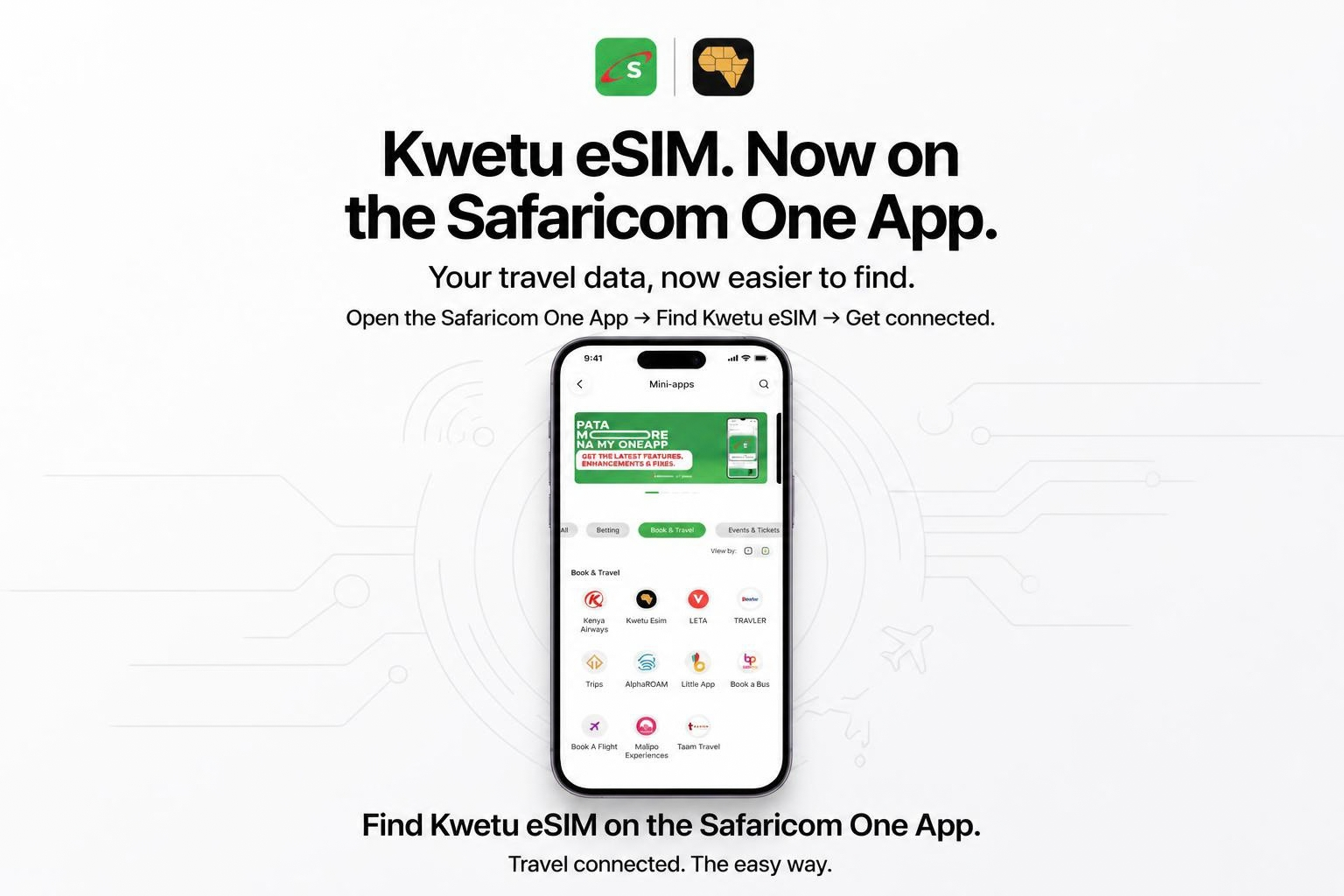
Kwetu eSIM Is Now on Safaricom M-PESA: Get Connected Before You Fly
Planning a trip outside Kenya? Getting your travel data sorted just got a whole lot easier.
Kwetu eSIM has officially partnered with Safaricom to launch the Kwetu eSIM Mini App directly inside the Safaricom M-PESA Super App. Now, Kenyan travellers can find, buy, and set up international travel eSIMs in local currency before even stepping onto the plane.
Instead of landing in a new country and frantically hunting for airport Wi-Fi or standing in long physical SIM queues, your global data is ready before takeoff.
Choose your destination. Pick your package. Pay seamlessly with M-PESA. Get ready to explore.
How to Find Kwetu eSIM on the M-PESA App
Accessing Kwetu eSIM takes just a few taps:
- Open the Safaricom M-PESA Super App.
- Tap Services (or Do More with M-PESA) at the bottom.
- Select Book & Travel.
- Tap Kwetu eSIM under the Mini Apps list.
Quick Navigation Path:
M-PESA App → Do More with M-PESA → Book & Travel → Kwetu eSIM
1. Choose Your Destination
Where is your next adventure taking you?
Search your destination directly inside the Mini App to view tailored travel data packages. Whether you’re flying out for business in Dubai, heading to China, visiting family in South Africa, or taking a vacation across Europe, Kwetu covers over 200 global destinations.
Choose a plan based on your trip duration and how much data you need (from 1GB regional passes to unlimited data bundles).
2. Pay Directly in Kenyan Shillings via M-PESA
Forget about foreign transaction fees or needing an international credit card.
- Enter your Safaricom phone number.
- Accept the instant M-PESA prompt on your screen.
- Complete your payment in Kenyan Shillings.
Your data profile generates immediately—no hidden bank exchange rates, no FX surprises.
3. Install Before Takeoff
Once purchased, you can install your eSIM profile on your compatible smartphone while still on local Kenyan network coverage or Wi-Fi:
- Check compatibility: Dial
*#06#on your dial pad. If an EID number appears, your phone supports eSIM technology! - Ensure device lock status: Make sure your device is unlocked.
- Install Profile: Follow the automated quick-setup prompts inside the Mini App.
- Set Data Line: Select Kwetu eSIM as your primary line for Mobile Data.
Pro-Tip: Keep your primary Safaricom physical SIM active for incoming SMS and M-PESA notifications while routing all internet traffic through your Kwetu data bundle.
Arrive Connected
When your plane touches down at your destination, simply go to your phone settings and turn on Data Roaming for the Kwetu profile.
Your phone will connect directly to local partner networks, giving you instant access to maps, ride-hailing services, and messaging.
Ready for Your Next Trip?
Skip the stress of airport connectivity. Open your Safaricom M-PESA App right now:
Do More with M-PESA → Book & Travel → Kwetu eSIM
Get your data. Pack your bags. Stay connected everywhere you go with Kwetu eSIM.

